SYSTEM ONLINE // LAYERZERO OMNICHAIN MEMECOIN

ZERO COMPUTER $ZCOMP

C:\LAYERZERO\ZCOMP.EXE> 64KB RAM

OFFICIAL $ZCOMP CONTRACT ADDRESS (CA) LAYERZERO
COMING SOON — CA REVEALED AT LAUNCH
NETWORK
LayerZero
OWNERSHIP
100% Fair
SYSTEM TAX
1% Low
ZCOMP_MONITOR.EXE v1.984
OVERCLOCK: 0 CLICK TO BOOT!
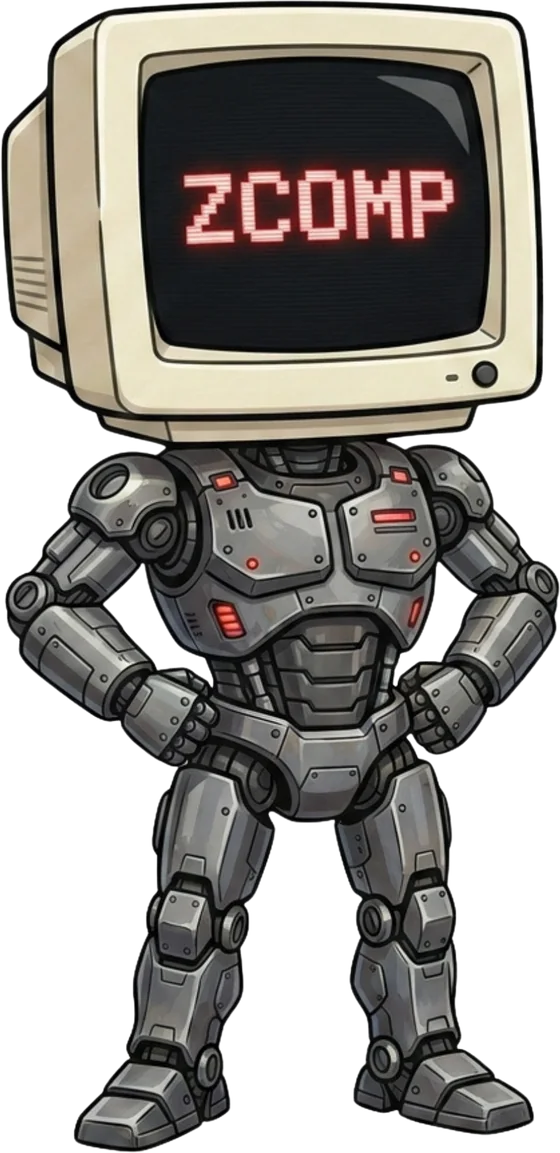
Zero Computer mascot: a retro CRT-headed robot
CPU: 100% DEGEN
CHAIN: LAYERZERO
README.TXT — ZCOMP_INTRODUCTION
01 // SYSTEM ORIGIN

ZCOMP
Introduction

Discovered humming quietly in an abandoned server room running an ancient LayerZero node, Zero Computer booted itself up without permission.

With only 64KB of retro RAM and infinite degen bandwidth, $ZCOMP exists for one mission: connect every trader across the omnichain with warm vintage CRT nostalgia, zero VC bloat, and 100% pure community runtime.

NO VC BLOATWARE OMNICHAIN RUNTIME UPTIME: 99.99% MEME
LOW FRICTION FUEL

1% Tax

Minimal 1% transaction voltage that keeps the retro mainframe humming, supports organic meme campaigns, and stays ultra-friendly for active traders.

SLIPPAGE FRIENDLY 1% BUY / 1% SELL
SHREDDED FLOPPY

Liquidity Burned

Floppy disk shredded and admin keys tossed into the dead-address void forever. Unruggable vintage hardware with 100% verifiable on-chain integrity.

LP STATUS BURNED FOREVER
OPEN SOURCE DEGEN

Community Driven

100% owned and operated by the network. No private presales, no VC unlocks, no insider wallets—just pure user runtime across LayerZero.

OPERATOR POWER 100% COMMUNITY
02 // LIVE CRT TERMINAL

Chat with ZCOMP

Ask Zero Computer anything directly via its vintage CRT console. Pick a quick command below or type your own prompt!

ZCOMP_OS v1.0 // TERMINAL CHAT
BAUD: 9600
USER>
QUICK COMMANDS:
03 // SETUP WIZARD

How to Buy $ZCOMP

Follow this 4-step retro installation wizard to load Zero Computer straight into your Web3 wallet.

STEP_01.EXE 01

Create a Wallet

Download and set up MetaMask or Phantom wallet on browser or mobile to safely store your omnichain assets.

PHANTOM / METAMASK
STEP_02.EXE 02

Fund with ZRO

Acquire $ZRO from a major exchange or bridge through LayerZero, then transfer ZRO straight into your wallet.

DEPOSIT $ZRO FUEL
STEP_03.EXE 03

Visit Tzer0 Launchpad

Open the official Tzer0 Launchpad platform and connect your funded wallet safely in one click.

CONNECT TO TZER0
STEP_04.EXE 04

Swap for $ZCOMP

Paste the verified $ZCOMP Contract Address, confirm slippage, hit swap, and welcome to the Zero Computer mainframe!

INSTALLATION COMPLETE!
04 // HARDWARE SPECS

Tokenomics: 100% Community

FAIR LAUNCH ON TZER0 • 0% TEAM / 0% VC
TOTAL FIXED MEMORY / SUPPLY
1,000,000,000
$ZCOMP Fixed Cap • Mint Revoked Forever
$ZCOMP 100% For Community

Every single byte of $ZCOMP enters open circulation on Tzer0 Launchpad. Zero hidden allocations.

100% FOR COMMUNITY (FAIR LAUNCH) 100%
TEAM / FOUNDER RESERVE 0%
VC / PRIVATE PRESALE 0%
NETWORK
LayerZero
TICKER
$ZCOMP
SUPPLY
1B Fixed
ALLOCATION
100% Comm.
TAX & LP
1% / Burned
LAUNCHPAD
Tzer0
05 // RELEASE DISKS

Zero Computer Roadmap

Three crisp OS release cycles from initial boot sequence to full omnichain mainframe domination.

DISK 01 // LIVE NOW

Phase 1: BOOT SEQUENCE

v1.0
SYSTEM STARTUP
  • ✓ Website & Interactive ZCOMP Terminal Launch
  • ✓ 100% Fair Launch on Tzer0 Launchpad
  • → 1,000+ Early Operators (Holders) Online
  • → Meme Engine & Retro CRT Sticker Packs
DISK 02 // IN PROGRESS

Phase 2: OVERCLOCK MODE

v2.0
OMNICHAIN EXPANSION
  • 1 CoinGecko & CoinMarketCap Fast-Track Indexing
  • 2 5,000+ ZCOMP Nodes (Holders) Connected
  • 3 Community Meme Contests & 24/7 Retro Raids
  • 4 LayerZero Ecosystem Collabs & Chart Trending
DISK 03 // UPCOMING

Phase 3: MAINFRAME TAKEOVER

v3.0
GLOBAL RUNTIME
  • + Tier-1 & Tier-2 CEX Listings
  • + 25,000+ Operators Worldwide
  • + ZCOMP Retro PFP Generator & Browser Mini-Games
  • ∞ Zero Computer Rules the Omnichain